

Overview
@kubiks/otel-mongodb provides comprehensive OpenTelemetry instrumentation for the MongoDB Node.js driver. Capture spans for all database operations with detailed metadata about collections, queries, and execution metrics.
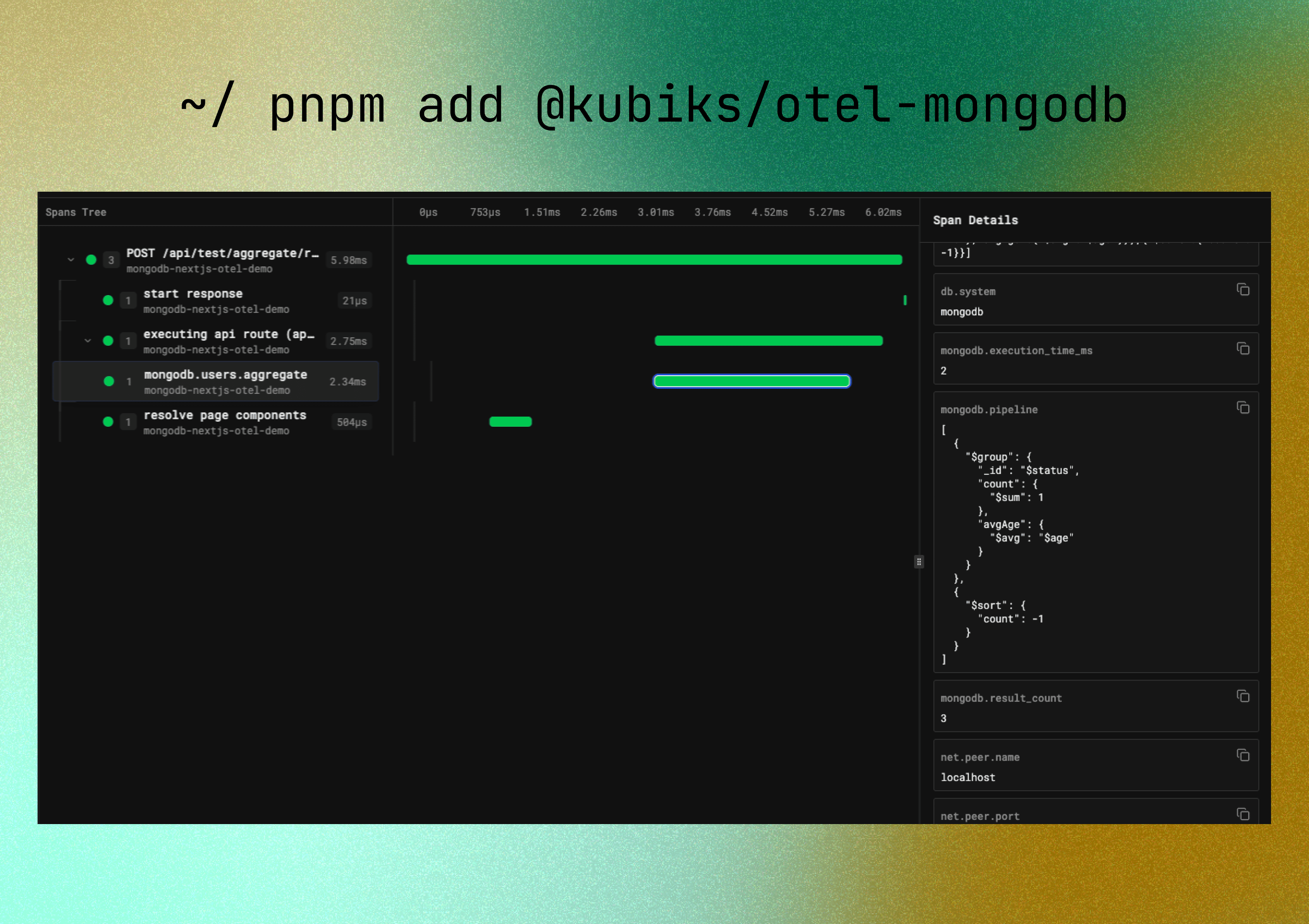
Visualize your MongoDB operations with detailed span information including collection names, operation types, and execution metrics.
Installation
Quick Start
What Gets Traced
This instrumentation automatically traces all major MongoDB operations including:Find Operations
find, findOneInsert Operations
insertOne, insertManyUpdate Operations
updateOne, updateMany, findOneAndUpdateDelete Operations
deleteOne, deleteMany, findOneAndDeleteAggregation
aggregateCount Operations
countDocumentsConfiguration
With Filter Capture
Span Attributes
Each span includes rich metadata about the database operation following OpenTelemetry semantic conventions:The instrumentation captures query metadata to help with debugging and monitoring, while optionally capturing filters based on your security requirements.
Usage Examples
Basic Find Operations
Insert Operations
Update Operations
Delete Operations
Aggregation Pipeline
Count Operations
Complete Integration Example
Here’s a complete example of MongoDB with OpenTelemetry in a Next.js application:Setup
lib/mongodb.ts
Usage in Server Actions
app/actions/users.ts
Usage in API Routes
app/api/stats/route.ts
Best Practices
Use Connection Pooling
Use Connection Pooling
Always reuse the MongoDB client connection rather than creating new connections:
Limit Filter Capture in Production
Limit Filter Capture in Production
Only enable filter capture in development or when filters don’t contain sensitive data:
Use Indexes for Performance
Use Indexes for Performance
Ensure proper indexes are created for frequently queried fields:
Handle Errors Gracefully
Handle Errors Gracefully
Always handle MongoDB errors in your application:
Troubleshooting
Spans Not Appearing
Spans Not Appearing
Ensure OpenTelemetry is initialized before connecting to MongoDB:
Connection Errors
Connection Errors
Make sure your MongoDB URI is correct and the server is accessible:
Missing Attributes
Missing Attributes
Ensure you’ve configured peer information:
Resources
MongoDB Documentation
Learn more about MongoDB Node.js driver
GitHub Repository
View source code and examples
npm Package
View package on npm
Report Issues
Found a bug? Let us know!